Mastering Terminal Multitasking, Beginner’s Guide to tmux
Published:
This post explains about what tmux is, how to install tmux and use tmux.
Installation
If you are using Ubuntu, tmux can be installed using command:
sudo apt-get install tmux
Concept
Using tmux, you can make many sessions.
A single session can have a lot of windows.
A single window can again have a lot of panes.
Run tmux in the terminal.
The bottom green status bar will show up. It indicates the session name and the windows in the session.
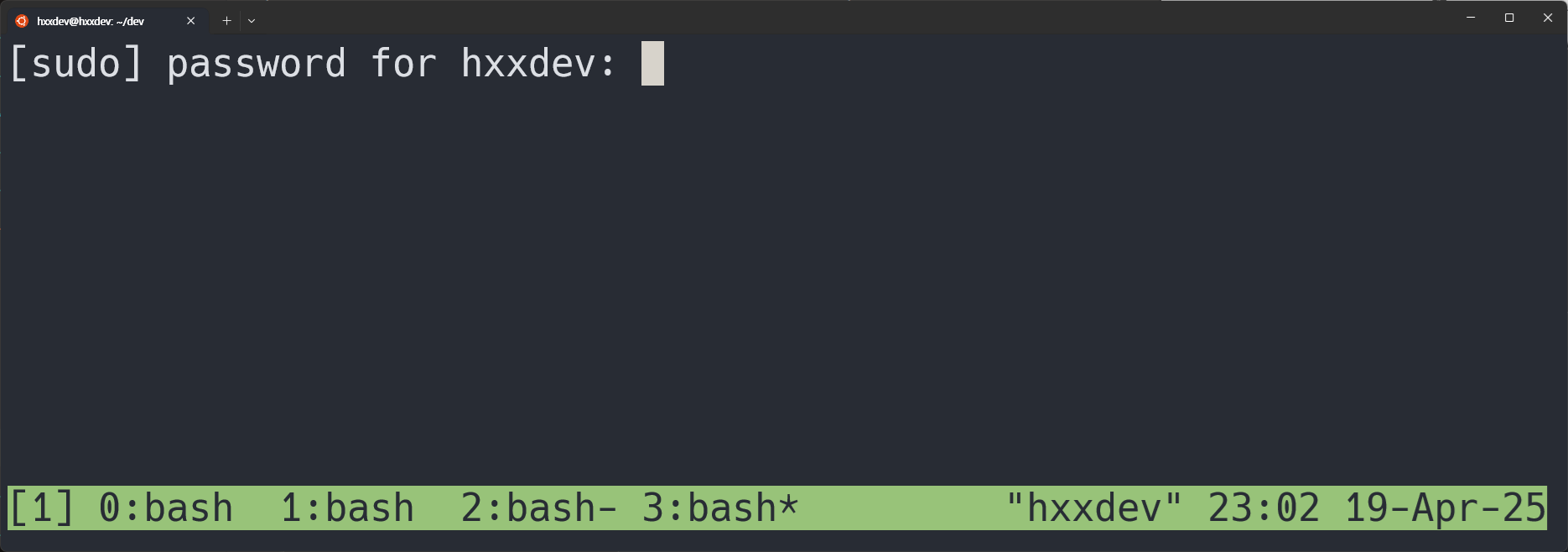
[1]indicates the session name.Session 1has 4 windows.- The asterix(
*) next towindow 3indicates the window that is displayed on the terminal.
Commands
Sessions
| command | description |
|---|---|
tmux | run tmux. |
ctrl-b :new | make new session. |
ctrl-b :kill-session | kill session. |
ctrl-b s - t - X | kill tagged session(s). |
ctrl-b s | change session. |
ctrl-b w | change session/window. |
ctrl-b $ | rename session. |
Windows
| command | description |
|---|---|
ctrl-b c | create window. |
ctrl-b n | go to next window. |
ctrl-b p | go to previous window. |
ctrl-b w | change session/window. |
ctrl-b , | rename window/pane. |
ctrl-b d | close window/pane. |
Panes
| command | description |
|---|---|
ctrl-b % | split horizontal pane. |
ctrl-b " | split vertical pane. |
ctrl-b d | close window/pane. |
Others
| command | description |
|---|---|
ctrl-b [ | scroll mode. q to quit. |
ctrl-b Pgup | scroll mode. go one page up. q to quit. |
Shortcuts
Shortcuts can be configured in ~/.tmux.conf.
# switch between windows
bind-key -n C-S-Left previous-window
bind-key -n C-S-Right next-window

# resize panes
set -g repeat-time 1500
bind-key -nr -T prefix       M-Up              resize-pane -U 5
bind-key -nr -T prefix       M-Down            resize-pane -D 5
bind-key -nr -T prefix       M-Left            resize-pane -L 5
bind-key -nr -T prefix       M-Right           resize-pane -R 5
bind-key -nr -T prefix       C-Up              resize-pane -U
bind-key -nr -T prefix       C-Down            resize-pane -D
bind-key -nr -T prefix       C-Left            resize-pane -L
bind-key -nr -T prefix       C-Right           resize-pane -R

# Mouse mode. allows you to scroll in tmux.
set -g mouse on
-n: No prefix — This tells tmux that the key binding should not require the prefix key (usually Ctrl+b by default). So pressing just the key will trigger the binding.-r: Repeatable — This allows the key binding to be repeated when the key is held down, similar to how holding down an arrow key scrolls continuously.